How to transcribe audio to text online (MP3, MP4, WAV and more)
Upload any audio or video file and get a transcript split by speaker.

To transcribe audio to text, upload your file to voxnoto and wait a few minutes. You'll get a full transcript split by speaker, plus a summary if you need one. It works with MP3, MP4, WAV, MOV and most other formats.
How to transcribe an audio file in 4 steps
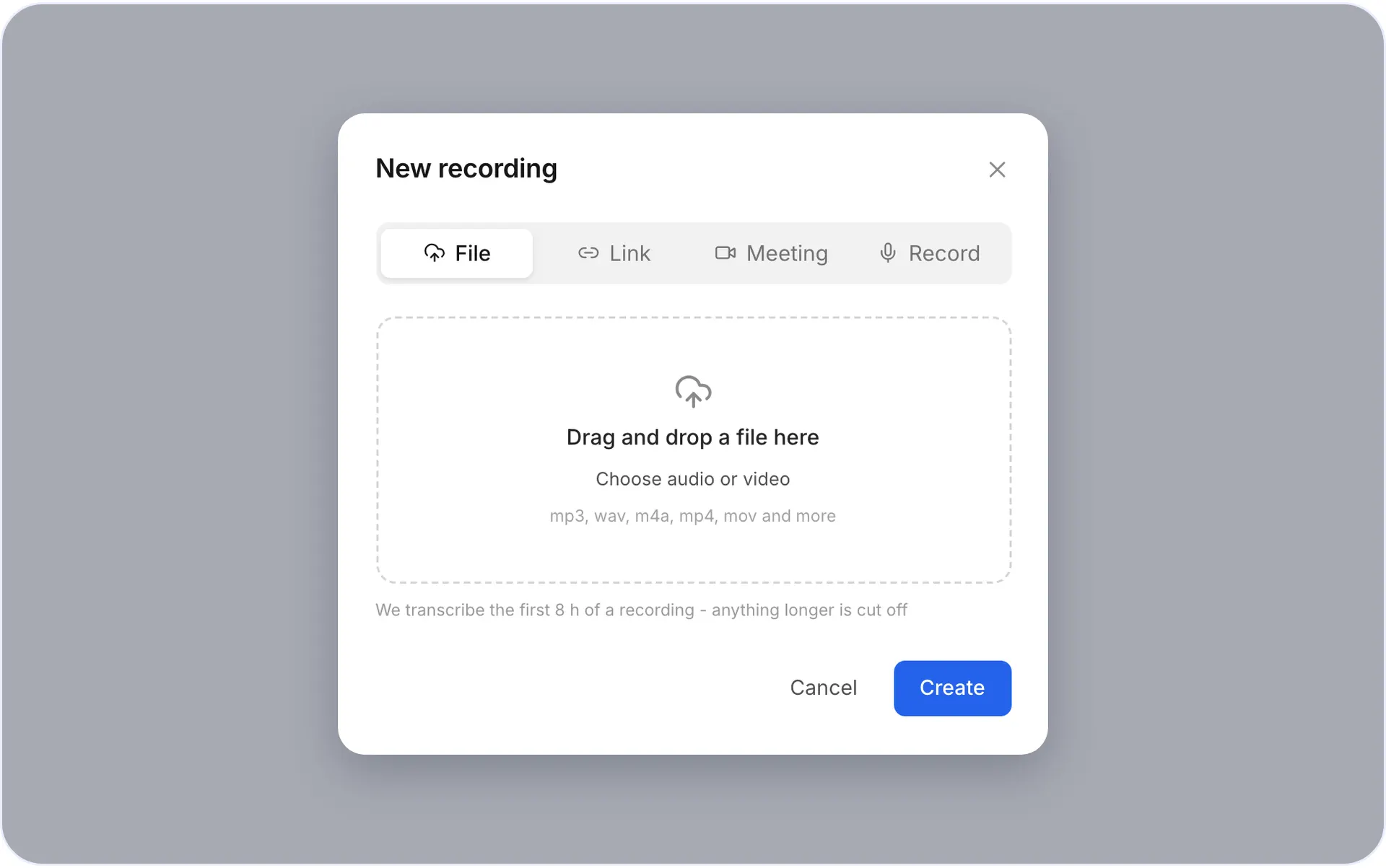
1Step 1. Open voxnoto and click Upload
Drag your file into the window or pick it from your computer or phone.
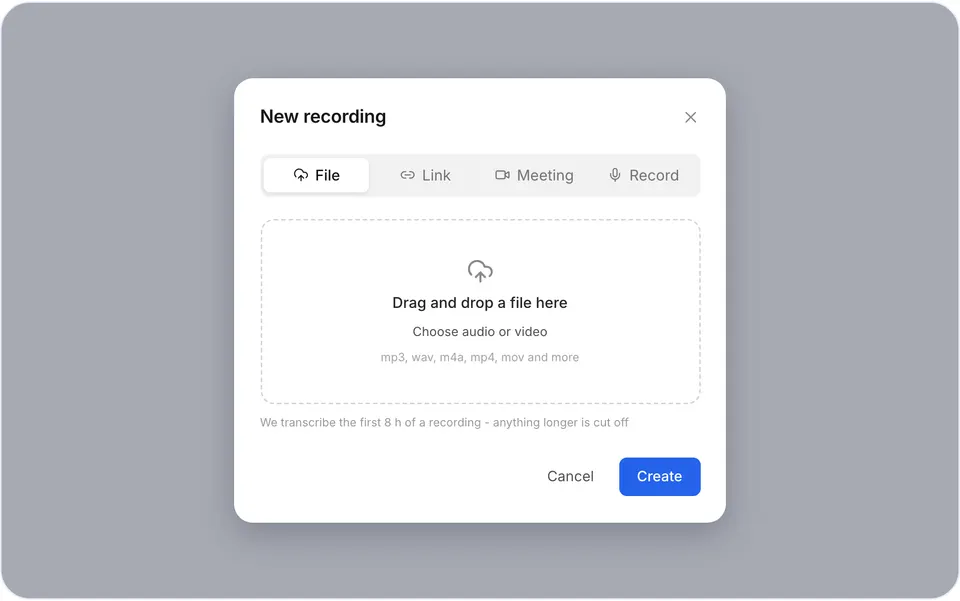
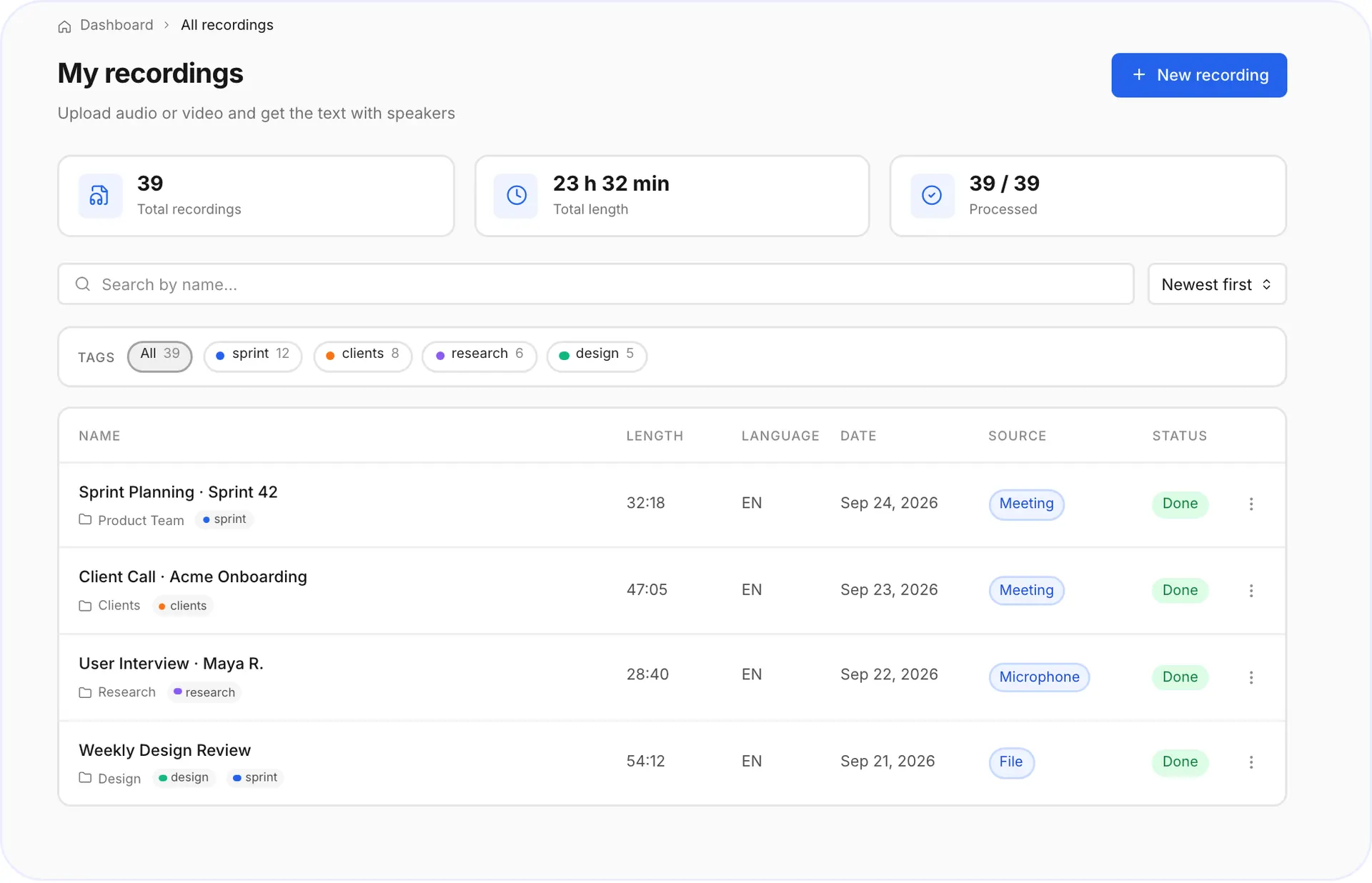
Upload window 2Step 2. Wait a few minutes
You can close the tab, the transcript will be waiting.
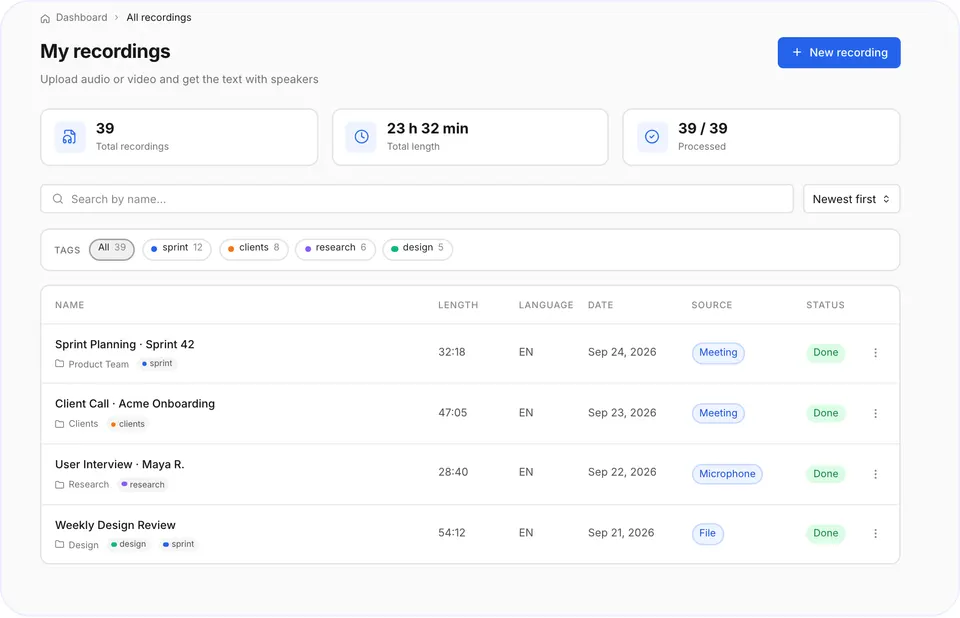
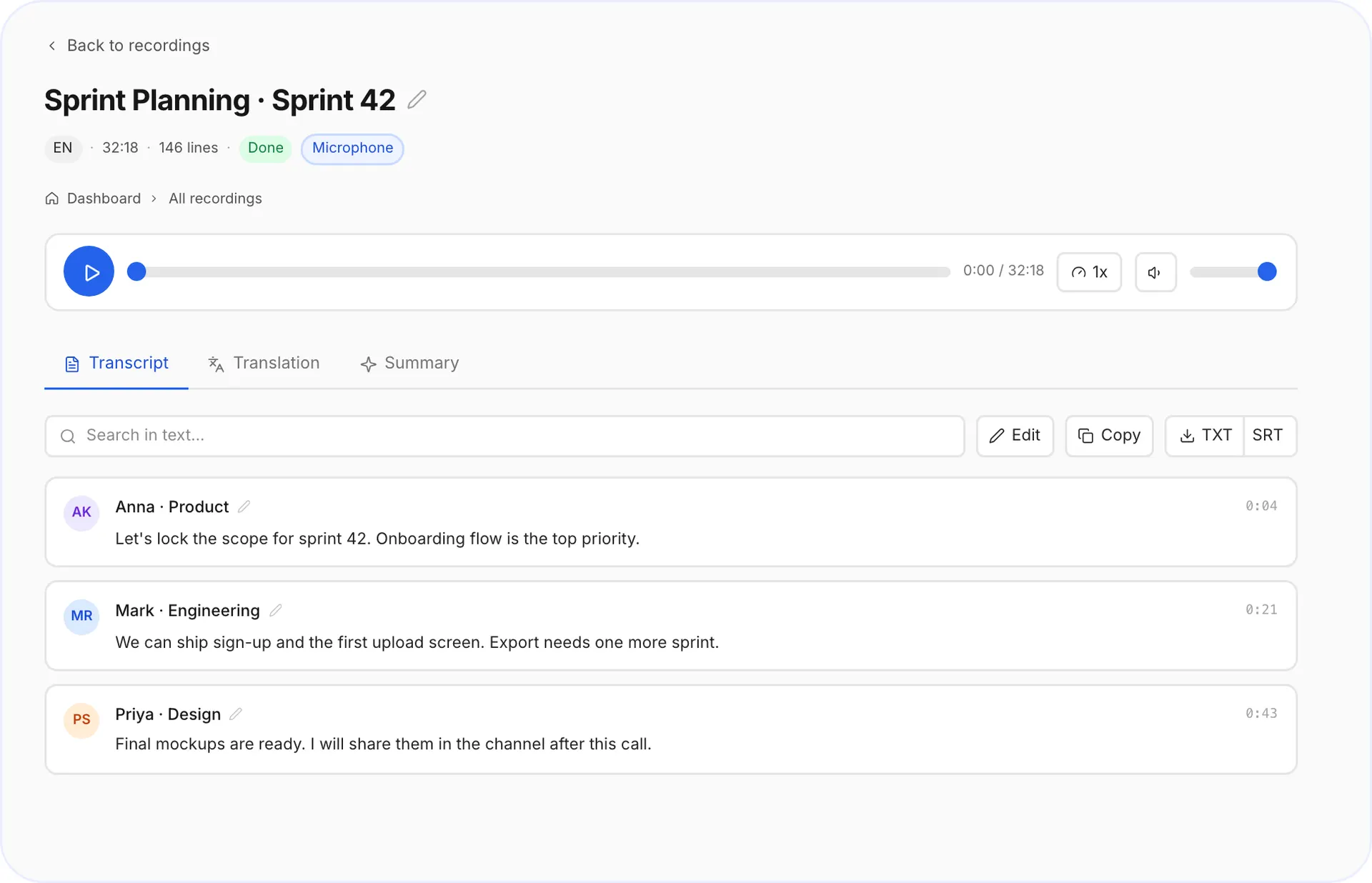
Processing status 3Step 3. Read and edit the transcript
Rename speakers and fix any word in place.
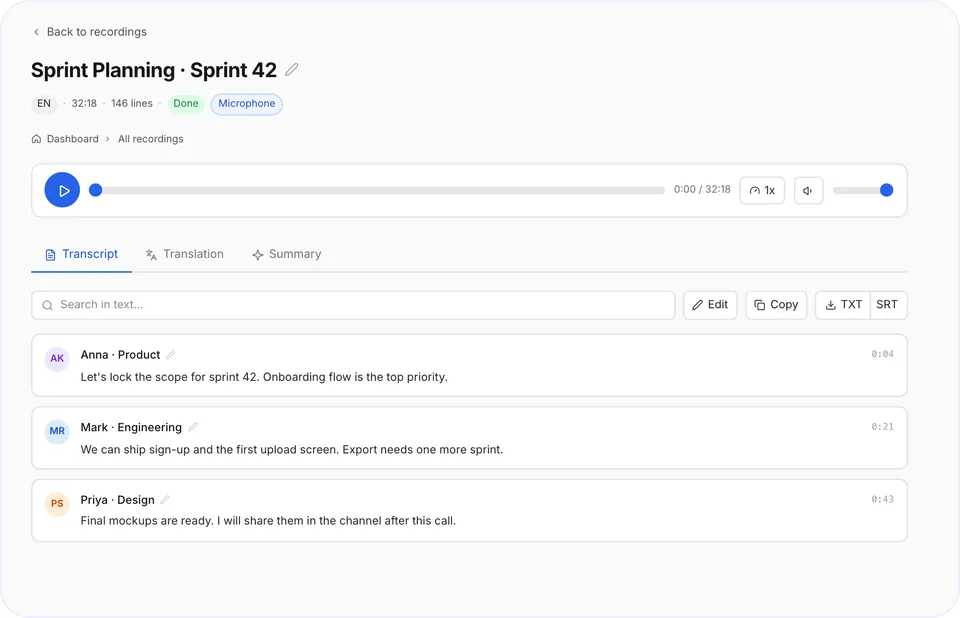
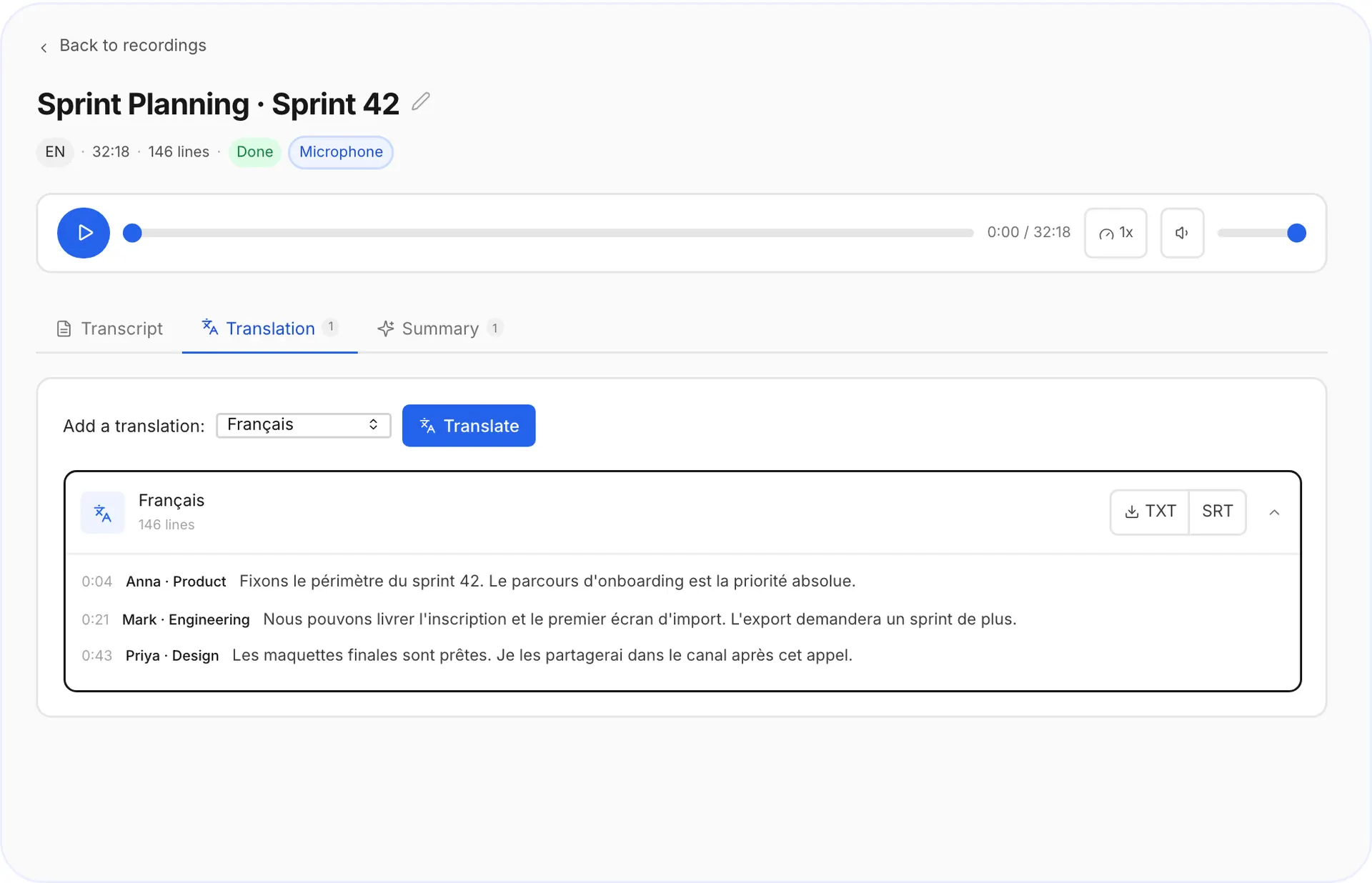
Transcript with speakers 4Step 4. Export or translate
Download TXT or SRT, or translate the transcript into another language.
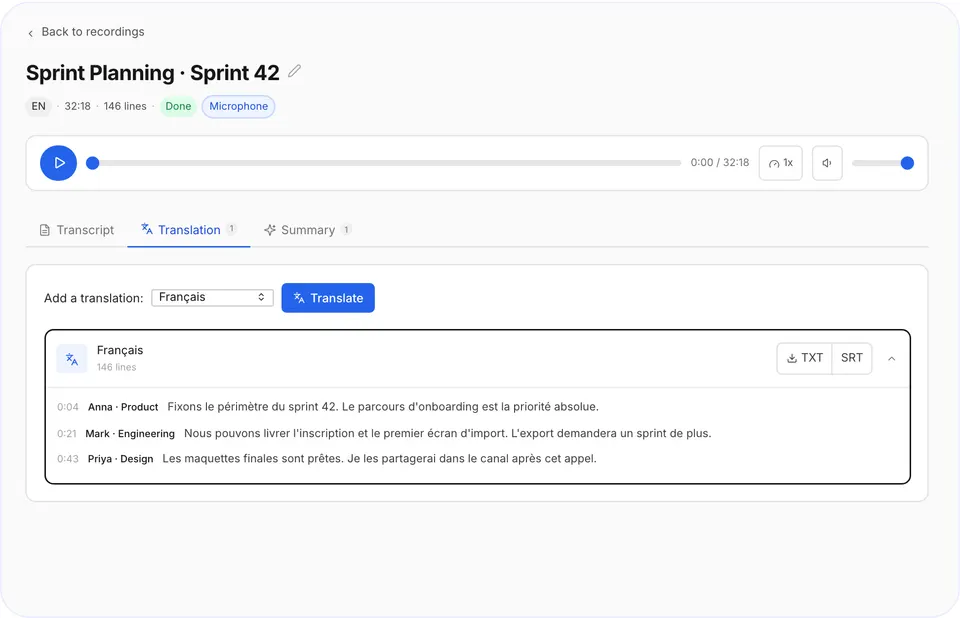
Export menu
Supported audio and video formats
- MP3
- WAV
- M4A
- MP4
- MOV
- AAC
- OGG
- OPUS
- FLAC
- WEBM
- MKV
Files can be up to 8 hours long.
Transcript or summary: which do you need?
| You need | Choose |
|---|---|
| Exact quotes, subtitles, a full record | Transcript |
| The key points of a long meeting or lecture | Summary |
| Content in another language | Transcript + translation |
Tips for a more accurate transcript
- Use the original file, not a re-recorded copy.
- Cut long silences at the start, it saves your minutes.
- For interviews, record each speaker close to the mic.
Video to text works the same way
Upload an MP4 or MOV and voxnoto transcribes the audio track. Export an SRT file to add subtitles to your video.
Questions and answers
How do I transcribe audio to text for free?
Yes. Your phone, Google Docs and several free plans all do it, with different limits.
Can I transcribe MP4 video to text?
Yes. Upload the MP4 and you'll get a transcript of the audio track.
How big can my files be?
On Premium you can upload files up to 8 hours long and run several at once. The free plan gives you 10 minutes of transcription a day: longer files are transcribed up to that daily limit.
Which languages does it support?
Speech is recognized in 99 languages, and the spoken language is detected automatically, so there is nothing to set up. A finished transcript can be translated into 22 languages in one click.
Can I get subtitles?
Yes, export your transcript as an SRT file.
Did not find your answer?Browse all questionsEmail support